
HMRC has migrated to the Customs Declaration Service (CDS), which is the long-term replacement to the Customs Handling of Import and Export Freight (CHIEF) system.
The below steps need to be taken to ensure your goods can be imported or exported without interruption.
Most business owners will already have a Government Gateway account to access their personal or
business tax account. You should use this account to access the CDS.
Firstly, if you have not already done so, you can register for CDS here:
https://www.gov.uk/guidance/get-access-to-the-customs-declaration-service
You will need your Government Gateway user ID and password as well as:
· GB EORI number
· Unique Tax Reference (UTR) number
· Business address held on record with HMRC
· Date of incorporation
If Bermuda Forwarders (UK) is paying your VAT and Duty on your behalf and then invoicing this back to you, nothing will change.
If you are accounting for VAT using Postponed VAT accounting, you will need to access your postponed VAT statement via the CDS.
The other options for paying VAT and duty can be found here: https://www.gov.uk/guidance/paying-vat-and-duties-on-imports
You can view your balance and payments in the CDS Financial Dashboard, as well as grant and amend standing authorities for your payment accounts.
The CDS uses a separate HMRC bank account to CHIEF, so you’ll need to set up a new direct debit.
You will also need to authorise Bermuda Forwarders (UK) to use your deferment account. This is done in the CDS Finance Dashboard.
Once you have registered for CDS, you will need to follow the below to authorise Bermuda Forwarders (UK) to enter import clearances on your behalf.
Click on the below link:
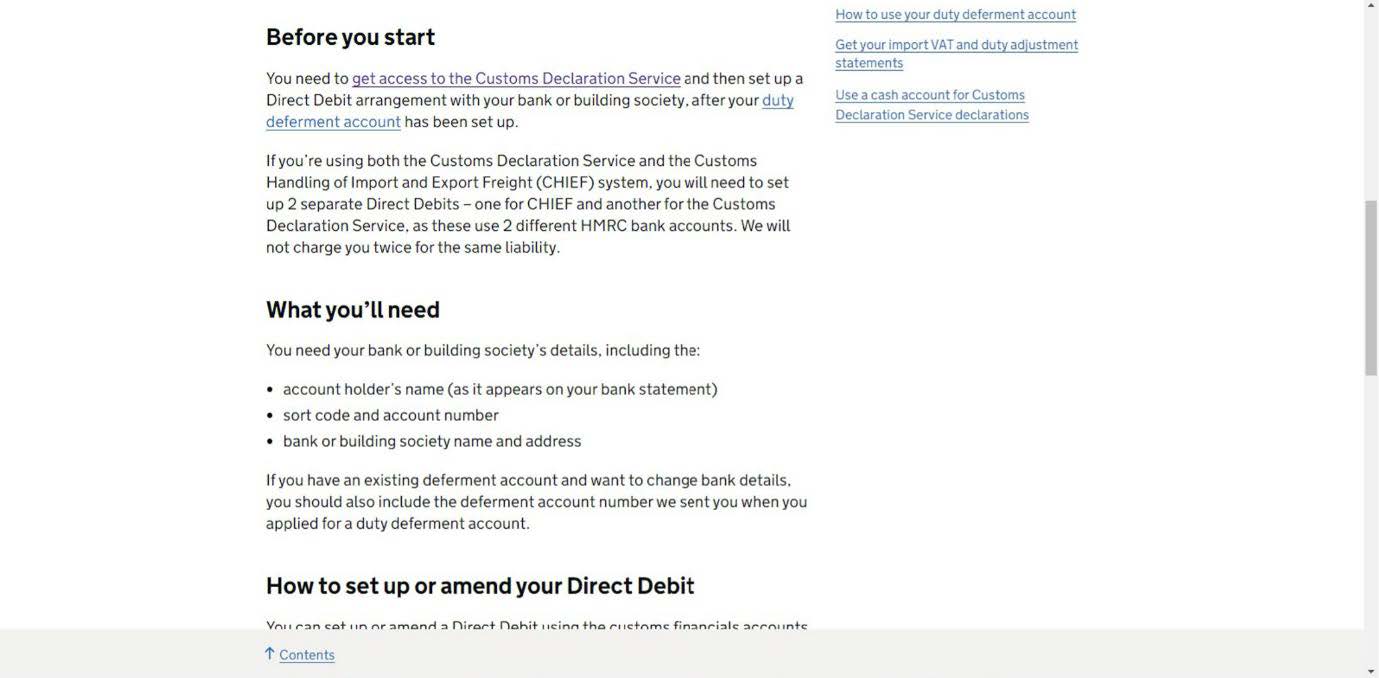
https://www.gov.uk/guidance/set-up-a-direct-debit-for-a-duty-deferment-account-on-the-customs-declaration-service
Click on the start after “How to set up or amend your Direct Debit”
Contains public sector information licensed under the Open Government Licence v3.0
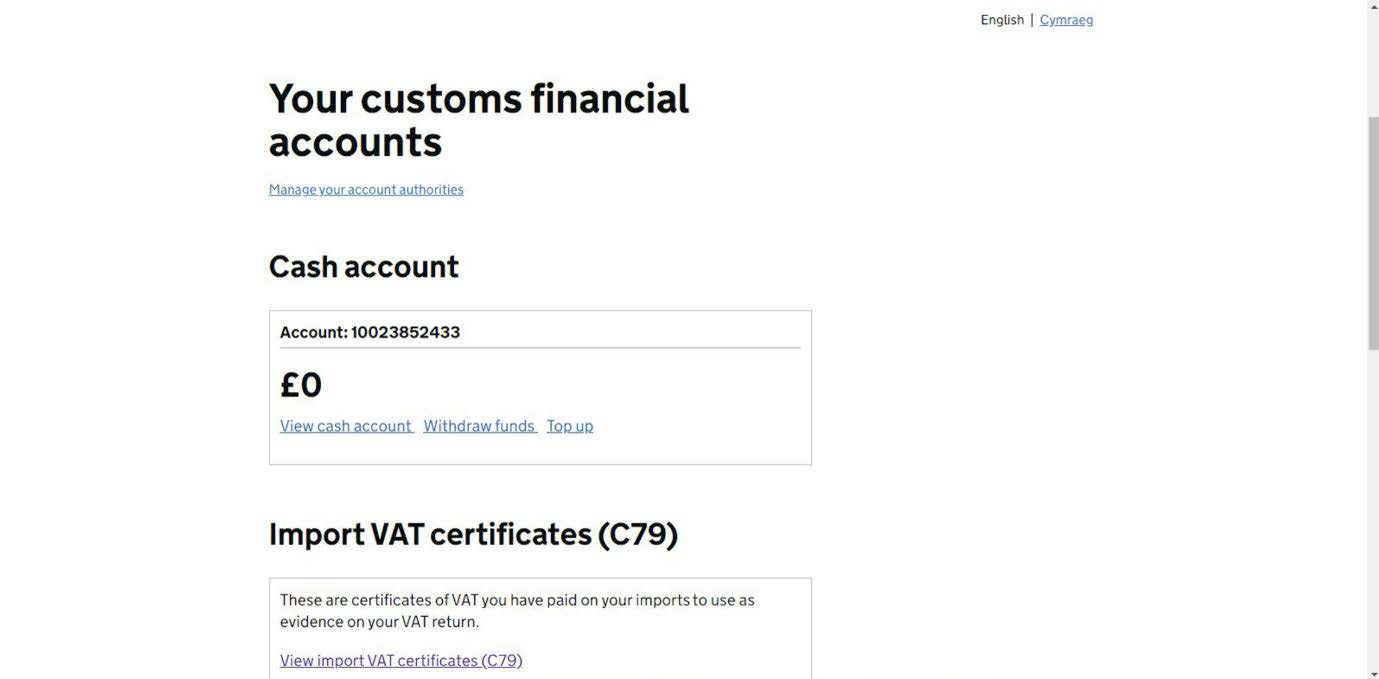
You will now see the below screen:
Contains public sector information licensed under the Open Government Licence v3.0
On this screen, you will see under “Your customs financial accounts” a link showing “Manage your account Authorities”
Click on the link.
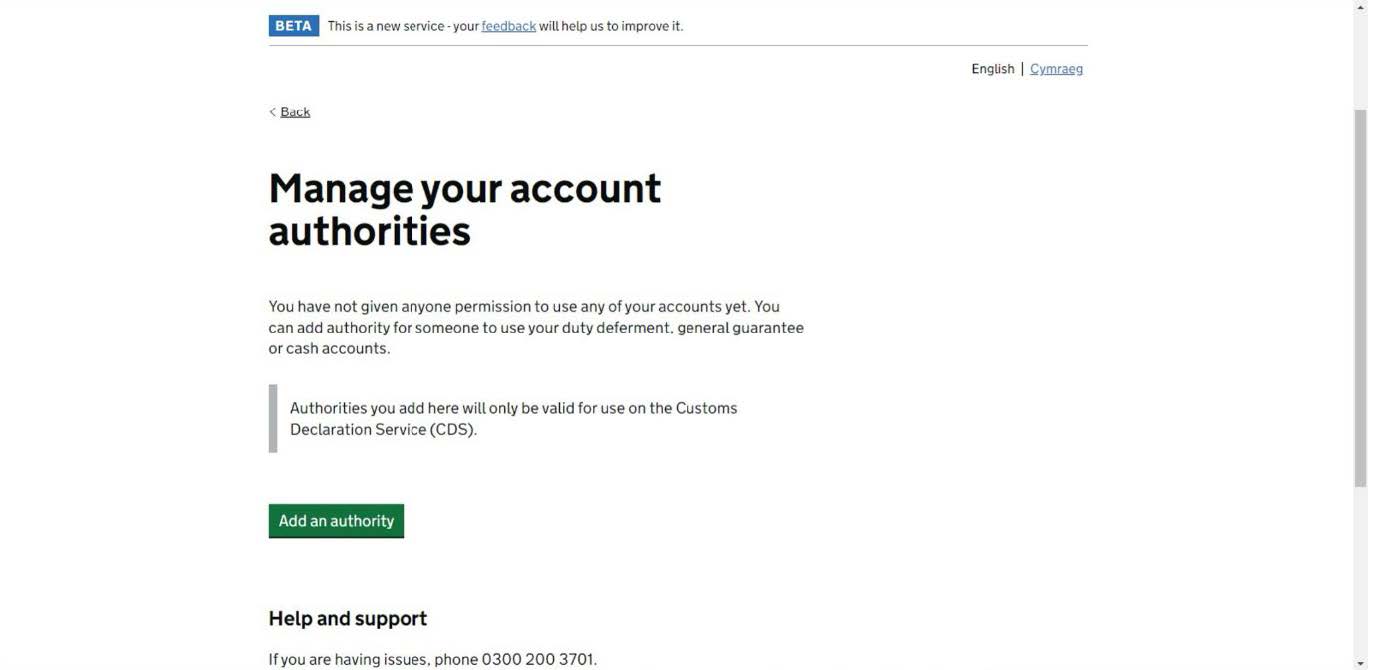
The below screen will be showing:
Contains public sector information licensed under the Open Government Licence v3.0
Click on “Add an Authority”
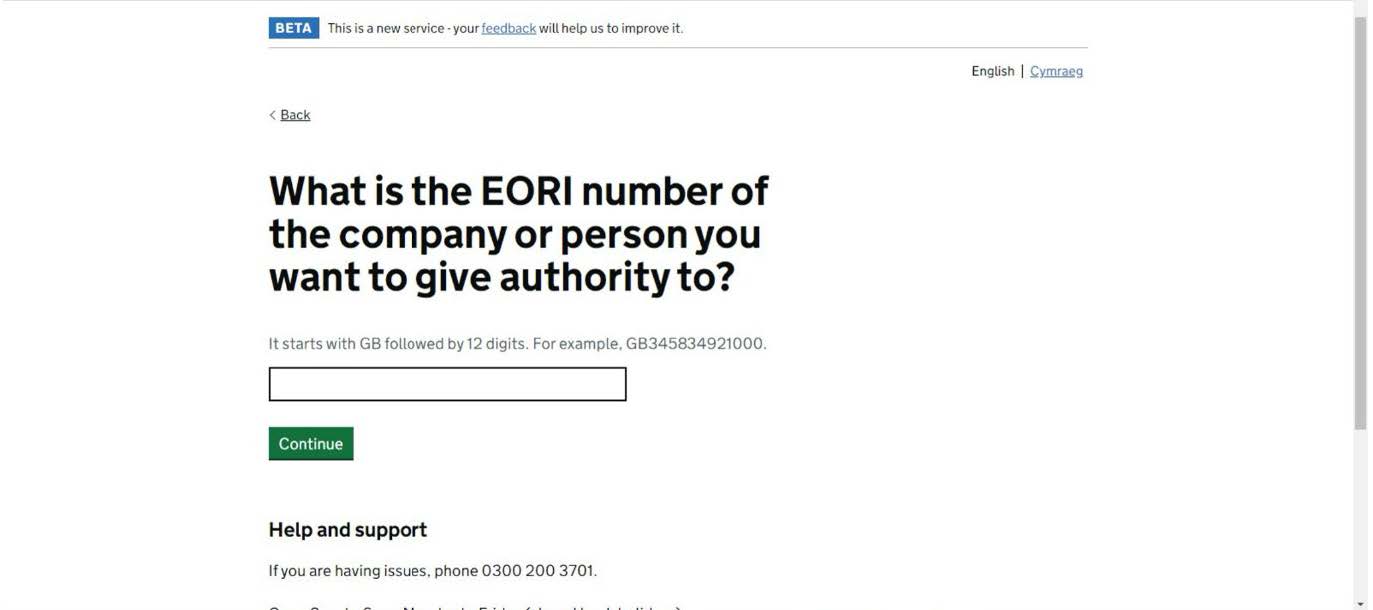
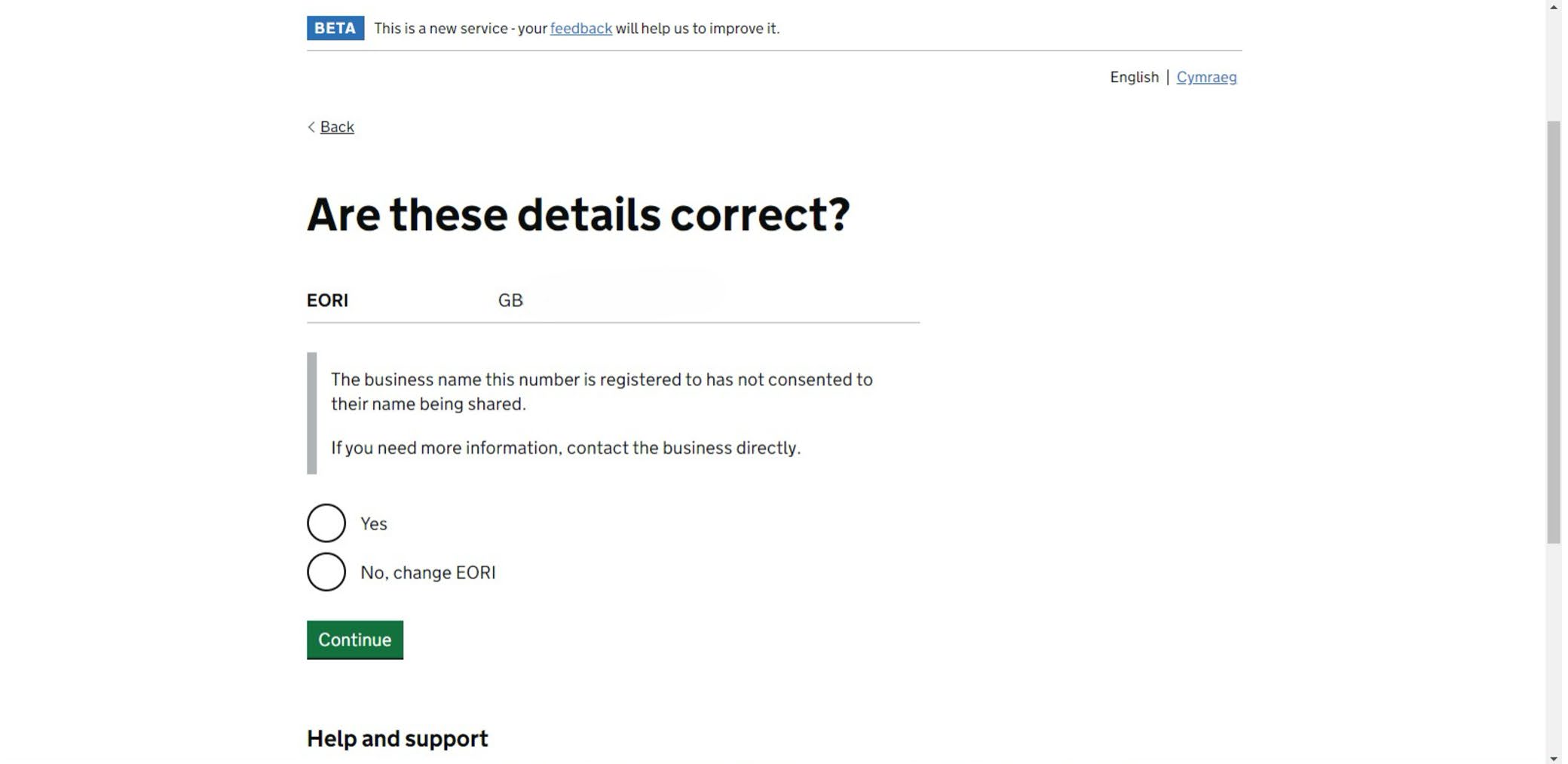
Once you have clicked on the link, you will need to enter the Bermuda Forwarders (UK) EORI number: GB174113138000
Contains public sector information licensed under the Open Government Licence v3.0
Contains public sector information licensed under the Open Government Licence v3.0
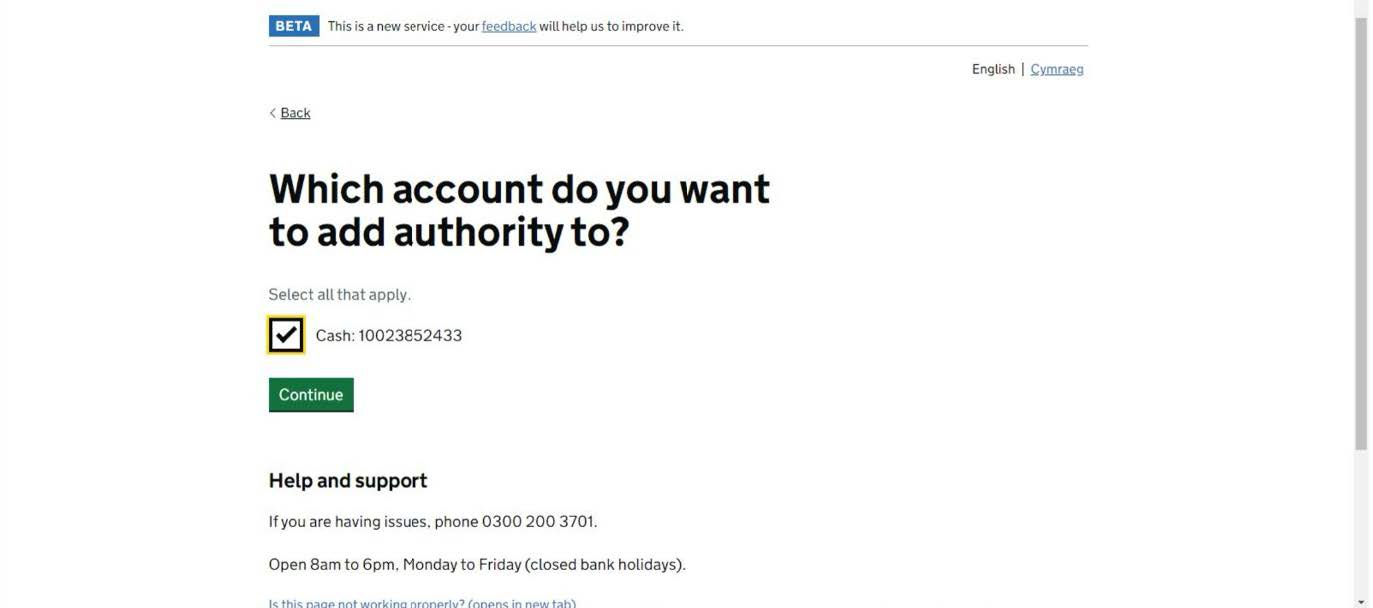
Following on from the above, now click on the “Cash: 100*****” as per the below.
Contains public sector information licensed under the Open Government Licence v3.0
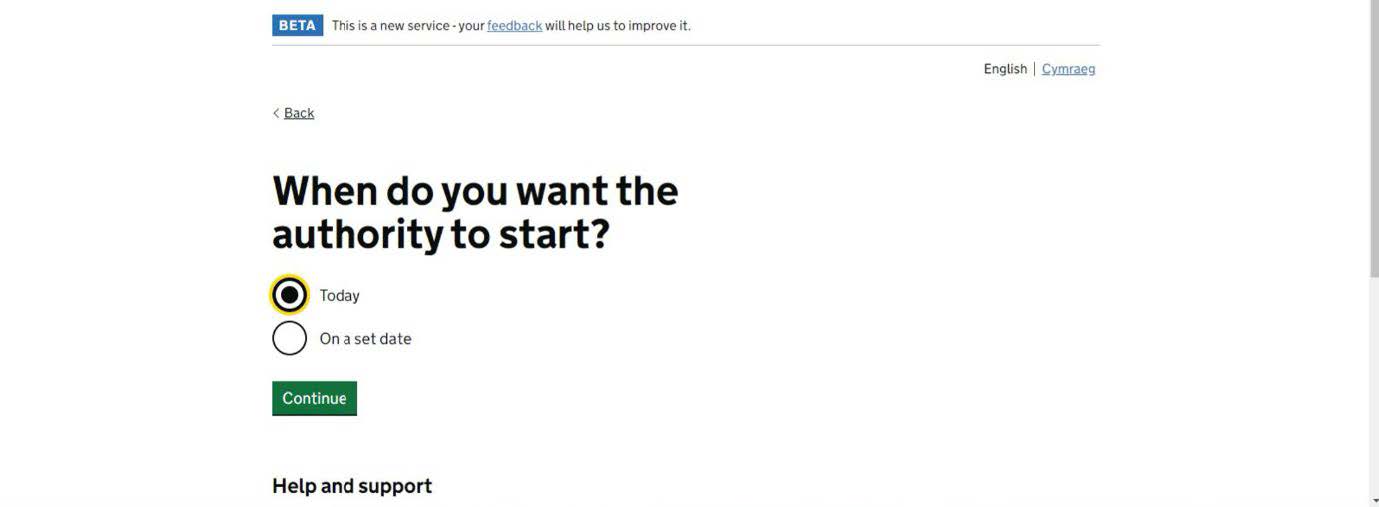
Please then follow the prompt, going forward until the end. At the last screen, click on the authority starting “Today” then click on “Continue”.
Contains public sector information licensed under the Open Government Licence v3.0
For assistance, please contact us:
Email: import@bermudaforwarders.co.uk
Phone: +44 (0) 161 870 3770
Bermuda Forwarders (UK) Limited will be moving to a new premises at the end of August.
Our new address from 1st September 2026 will be:
Bermuda Forwarders (UK) Limited
No.1 Trafford Park
Westinghouse Road
Trafford Park
Manchester
M17 1PH